Product development for B2B SaaS Scaleup
Context & Users
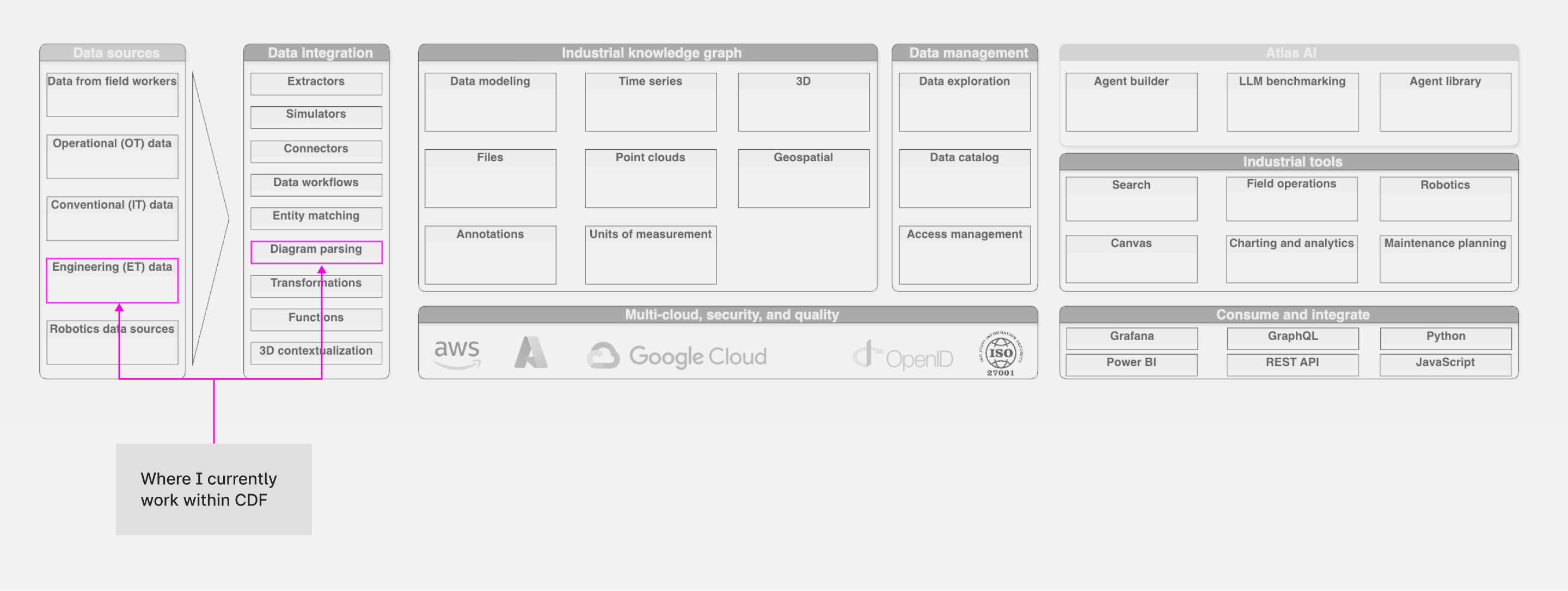
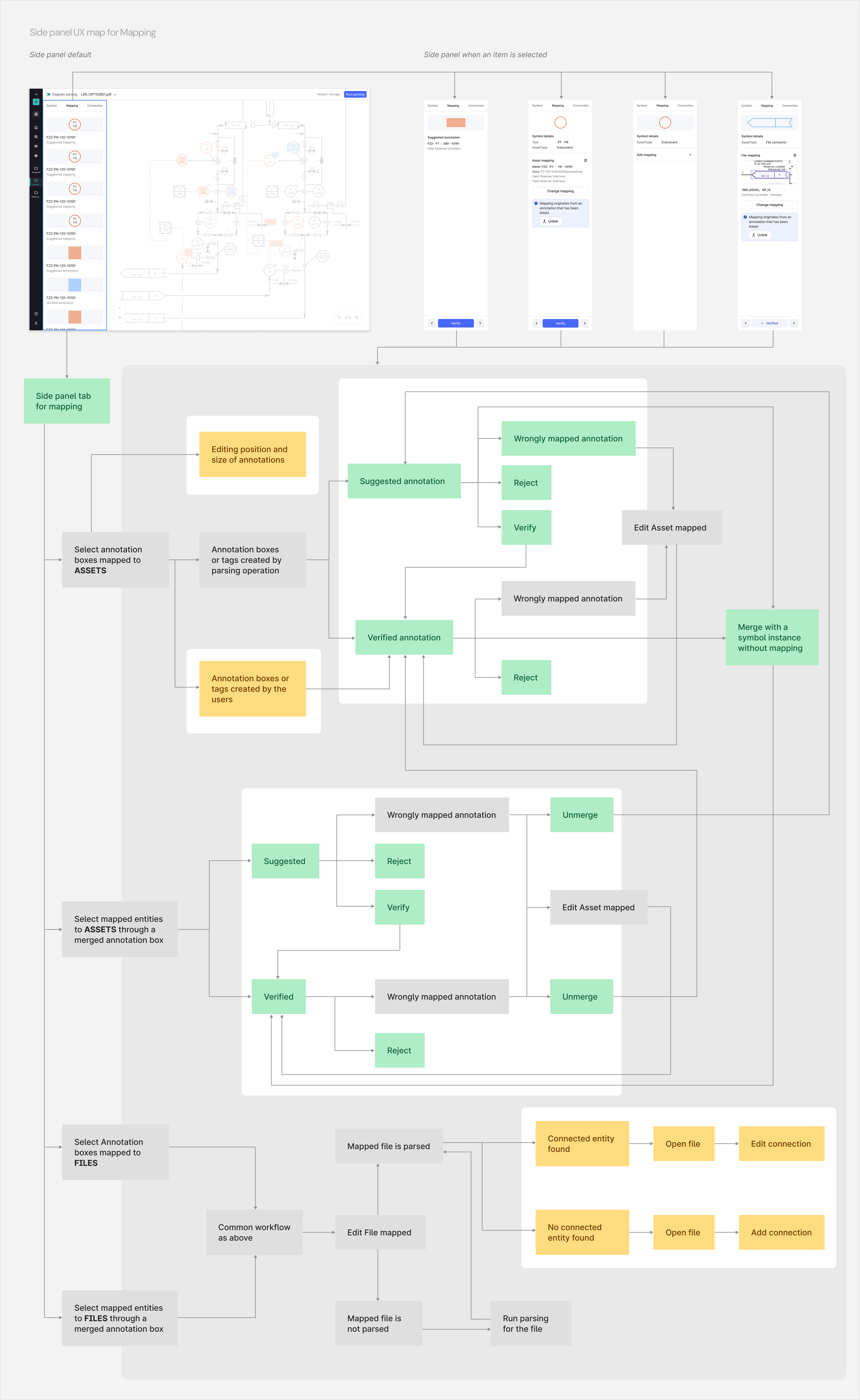
Cognite Data Fusion (CDF) is an industrial data platform that helps energy companies like oil & gas operators make sense of their physical assets (pipelines, valves, pumps, instruments) by connecting data from across their operations into a single, structured knowledge graph. P&ID (Piping & Instrumentation Diagram) serves as the source-of-truth that maps how every physical asset in a plant connects to every other. These connections are extracted from thousands of static P&ID files and verified for accuracy using the Diagram Parsing application inside CDF. Parsed P&ID data has direct operational consequences on downstream applications across the Cognite platform, enabling use cases like Automated Isolation Planning, where engineers need accurate asset connection data to safely isolate equipment during maintenance. The primary users of the Diargam Parsing are domain experts like process engineers and data specialists at industrial enterprises, who review and approve parsing results. At the point I joined the product team, the tool required approximately 1 hour of manual human review per diagram, tested across ~20 diagrams from customers, including AkerBP, BASF and TP.
Product vision
The product vision was to reduce that time to under 15 minutes, moving the application from a service-dependent solution requiring significant human effort into a self-serve SaaS product, which allowed scaling across the tens of thousands of diagrams enterprise customers needed to process. This was the design problem I was working on.
Discovery
Methods
I gathered insight through usability observation sessions, 3–4 session recordings in Dovetail from a Japanese enterprise oil & gas customer, sprint rituals (standups, reviews, retrospectives), PM-shared Slack feedback and support tickets, joint customer calls, and a structured handover from the senior designer who had previously owned the product.
Findings
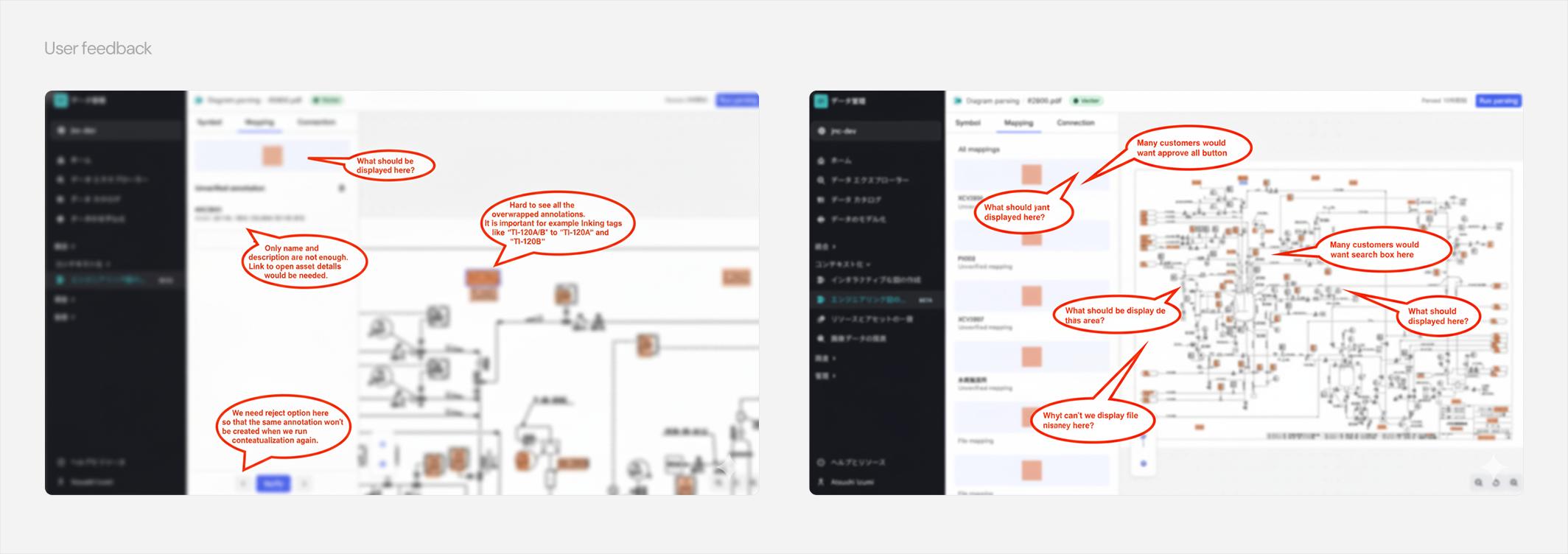
- Understanding the new app: Early usability sessions revealed users were skipping the Chameleon onboarding illustrations entirely as the visuals were abstract and disconnected from the actual interface, leading to errors in the first steps of the verification workflow.
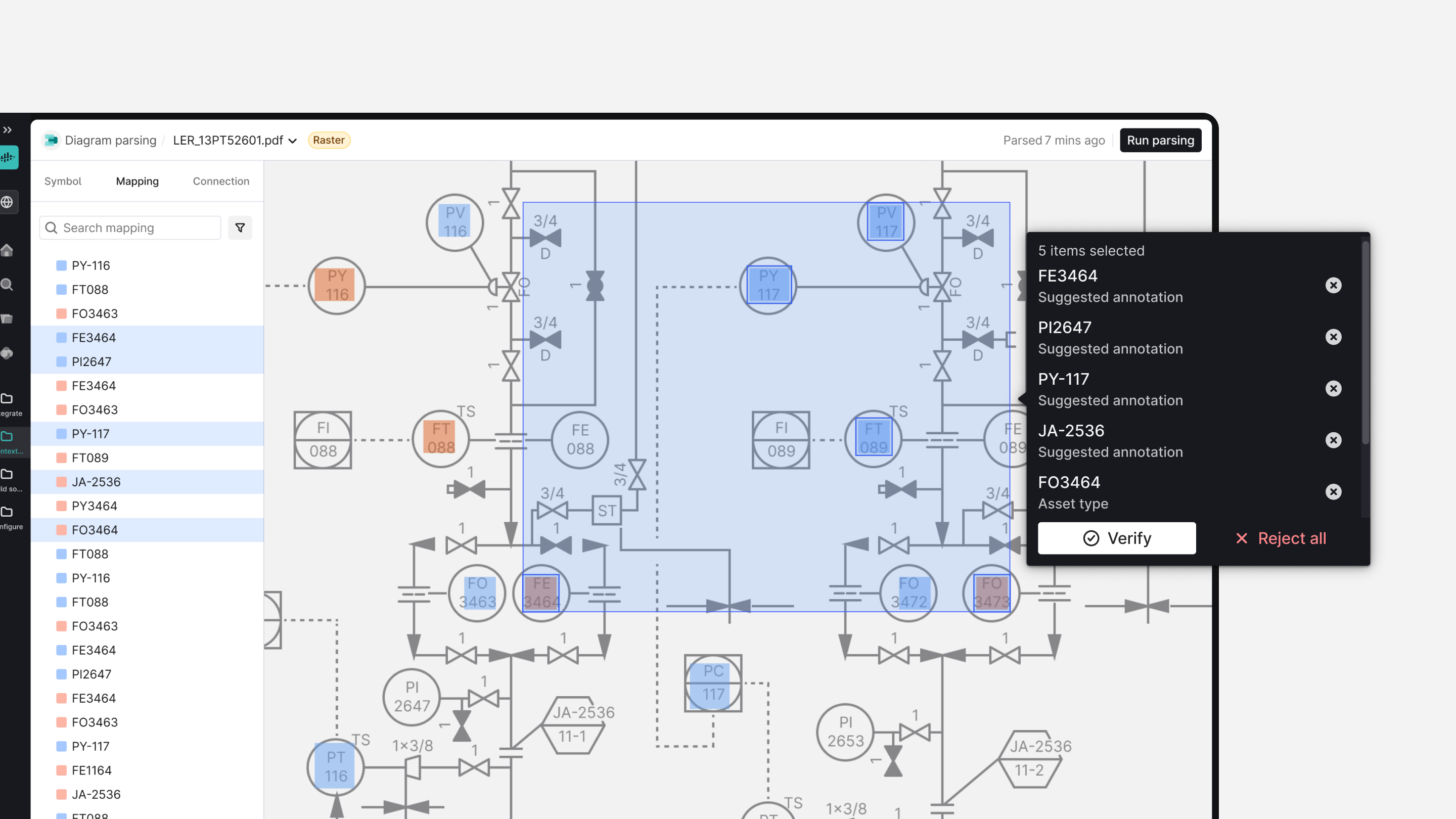
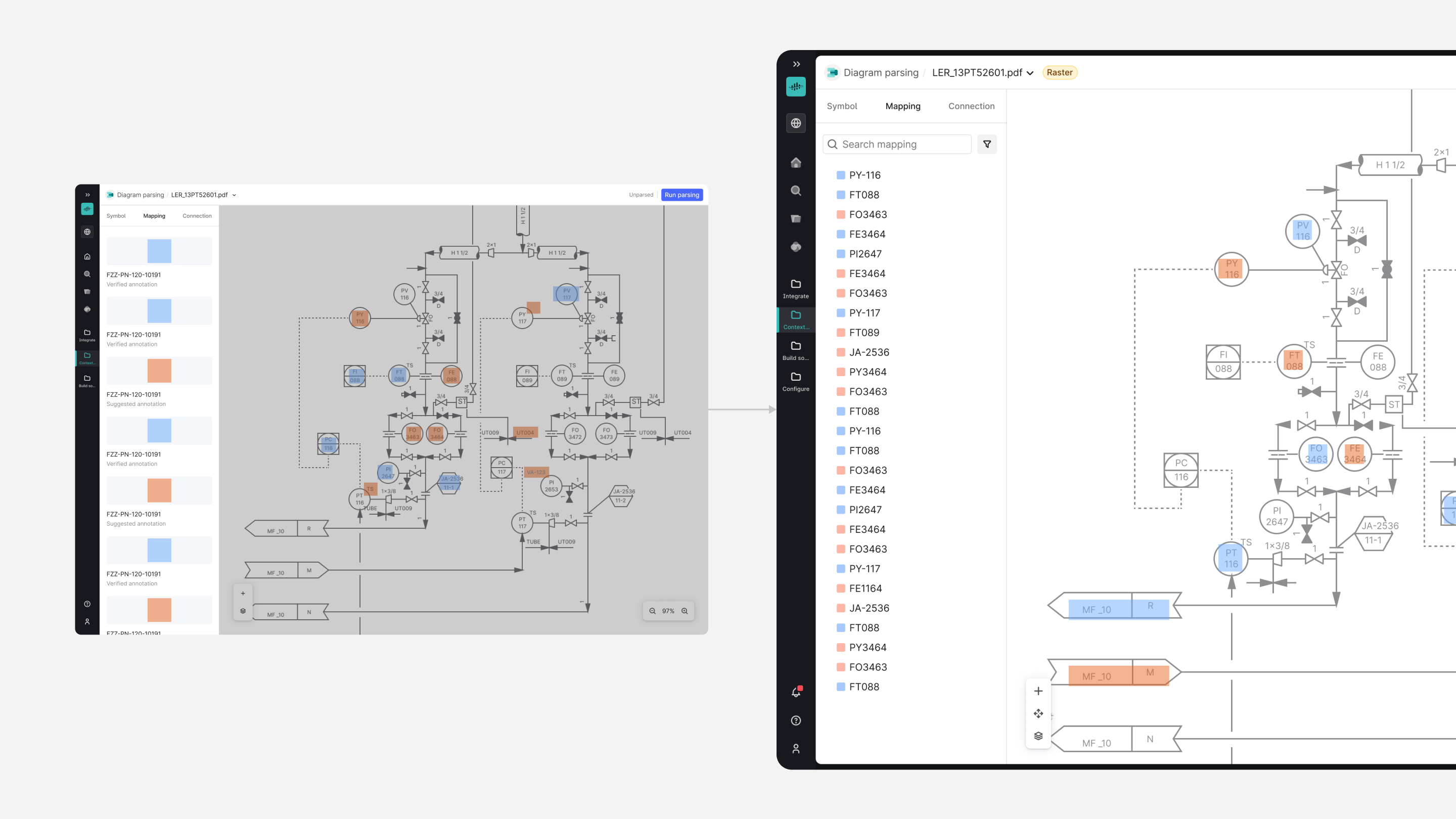
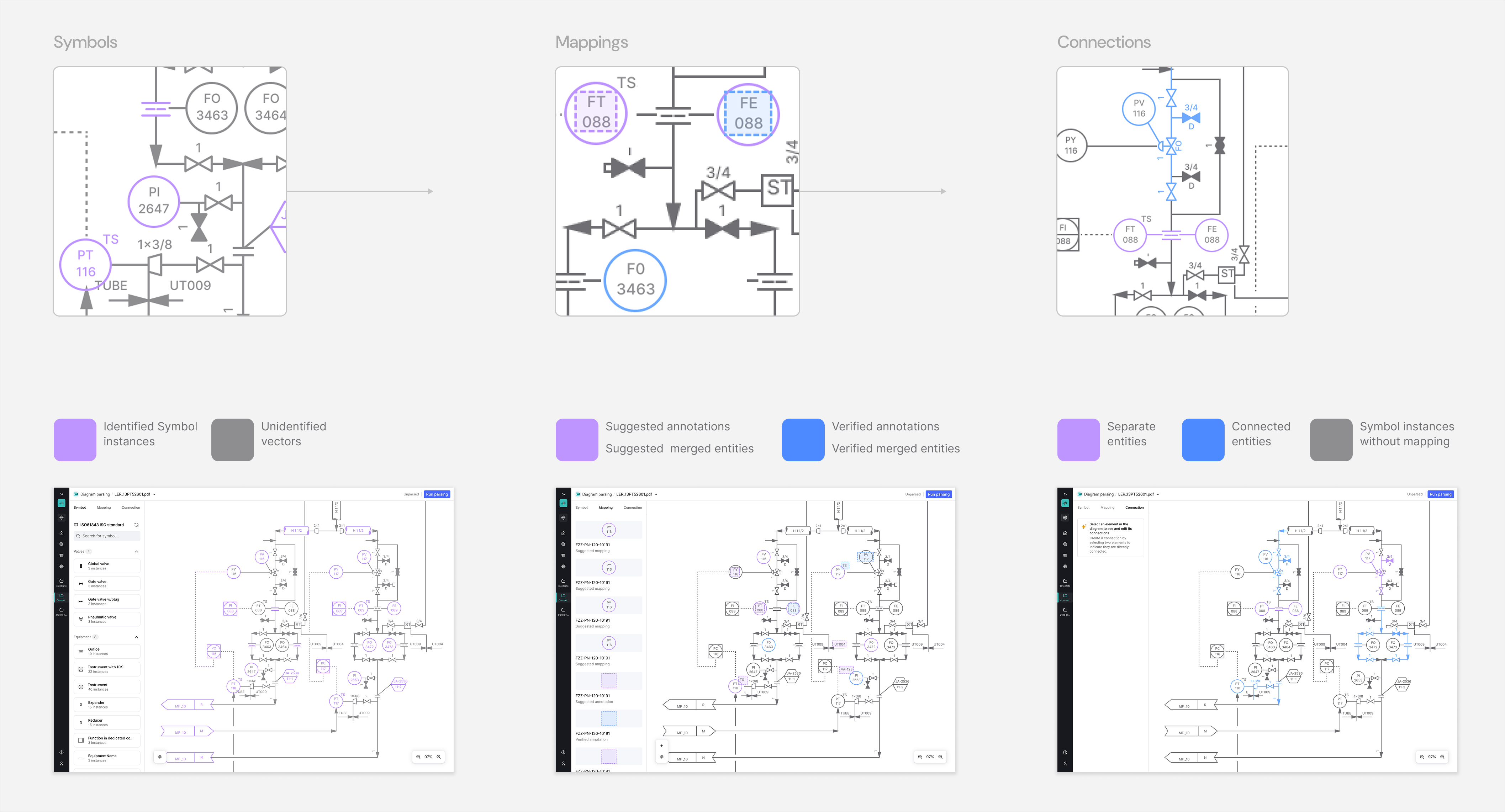
- Colour accessibility problem: The original visual states with blue/purple colour logic used to distinguish verified versus suggested mappings failed accessibility checks for colour-blind users and created genuine confusion even for users without colour blindness. This risked the entire value proposition, which is based on accurate human verification.
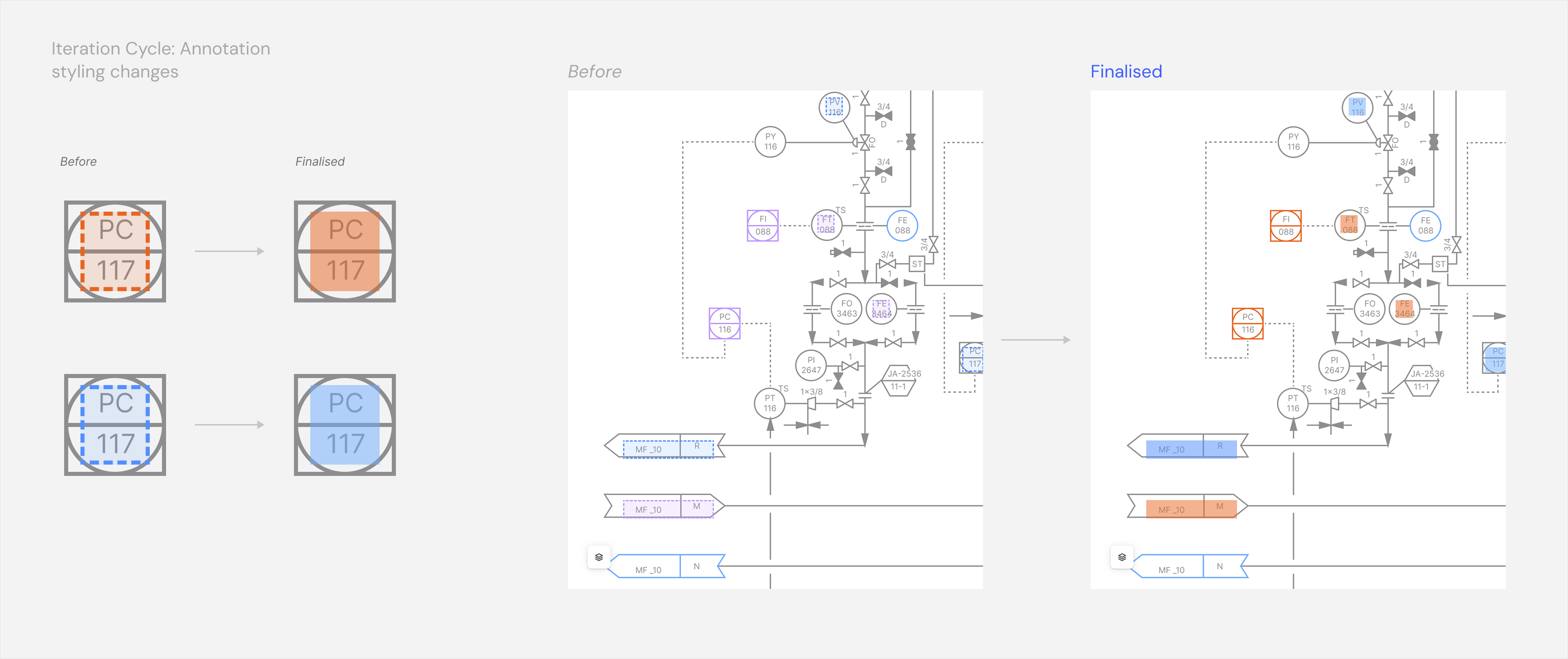
- Visual noise problem: P&IDs are visually dense, highly technical documents which made cognitive exhausting for engineers to distinguish the annotations that were generated on top of the diagram content. Dotted annotation boxes blended visually with pipes & symbols underneath, which led users to spend significant time just trying to read the diagram before even performing any other related operation.
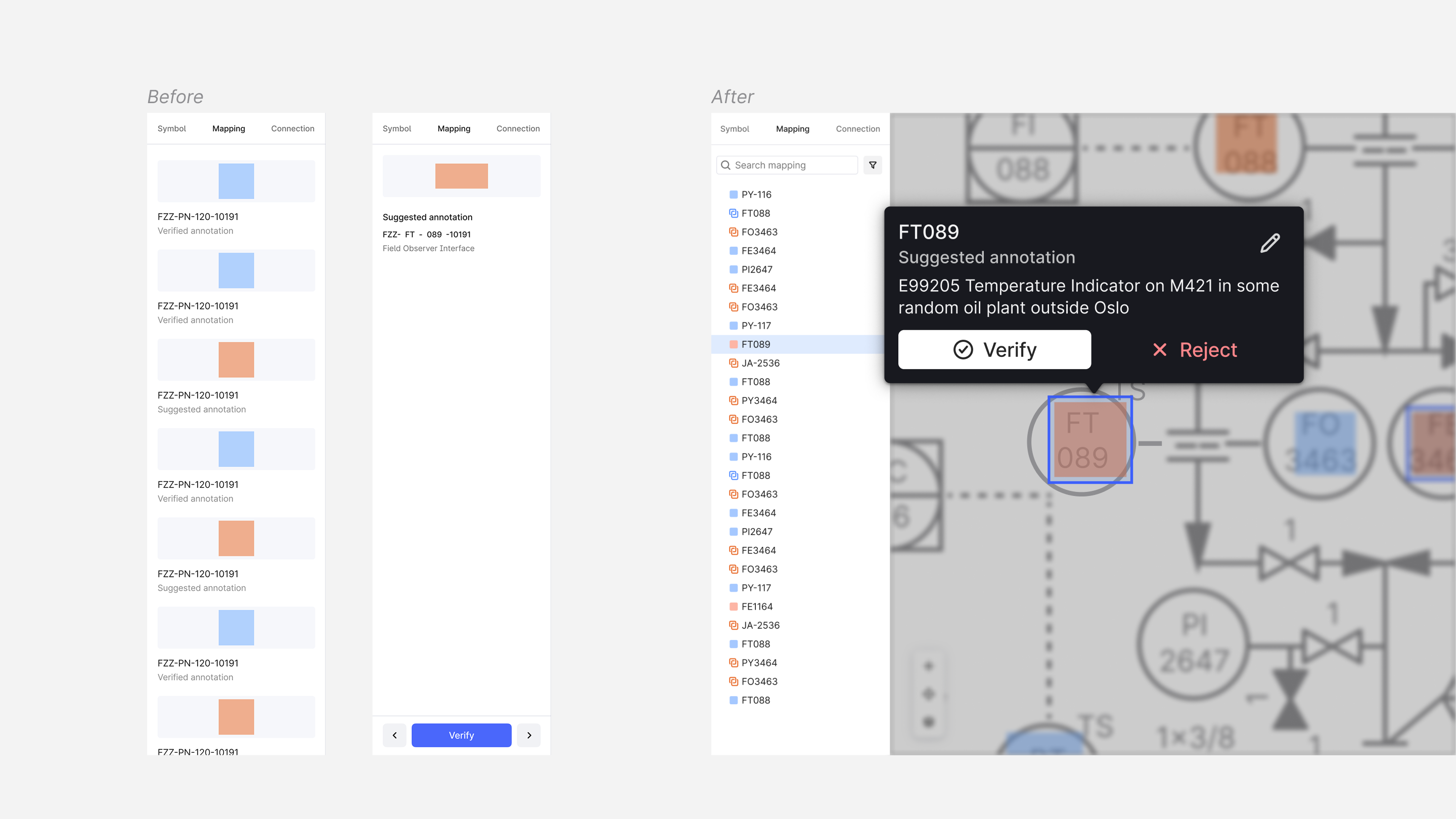
- Attention split problem: During a user interview, we observed a data engineer navigating a complex diagram to select an asset/tag, then shifting to the side panel to access associated functionalities like verify, reject, or edit. This back-and-forth mouse movement was repeated for many annotations across several diagrams, contributing to the long review process, which compounded over hundreds of diagrams.
Problem Framing
We discovered that the verification workflow was technically sound, but the interface was creating friction that multiplied across every annotation, every diagram, and every user, regardless of their file type or parsing path.
We framed the core challenge as:
"How might we reduce cognitive and physical effort per verification step, and align the interface with the actual state of what has been parsed — so engineers can work faster, more accurately, and with a reliable mental model of where they are in the process?"
Working with the PM, we tied each finding directly to measurable key results:
- Efficiency — reduce time-on-task from ~1 hour to 15 minutes per diagram
- Quality — achieve verified precision and recall without heavy manual intervention
- Scalability — support the Beta release path: Diagram Detect API automatable via Workflows, DDP as a user-triggered feature flag.
Design & testing
Iteration 1: Onboarding
Hypothesis: Replacing static onboarding illustrations with more UX-focused animated loops will reduce time-to-first-value for new users.
Users were skipping the existing Chameleon onboarding entirely — the illustrations were visually dense, static, and disconnected from the actual interface. The replaced animation loops showed real interaction patterns directly from the context.
Testing: Following the rollout, we monitored onboarding flow completion rates, which indicated that users progressed further compared to early drop-off from the previous static format. Users’ follow-up questions also decreased as they arrived at a better baseline understanding of core UX concepts.
Iteration 2: Colour accessibility
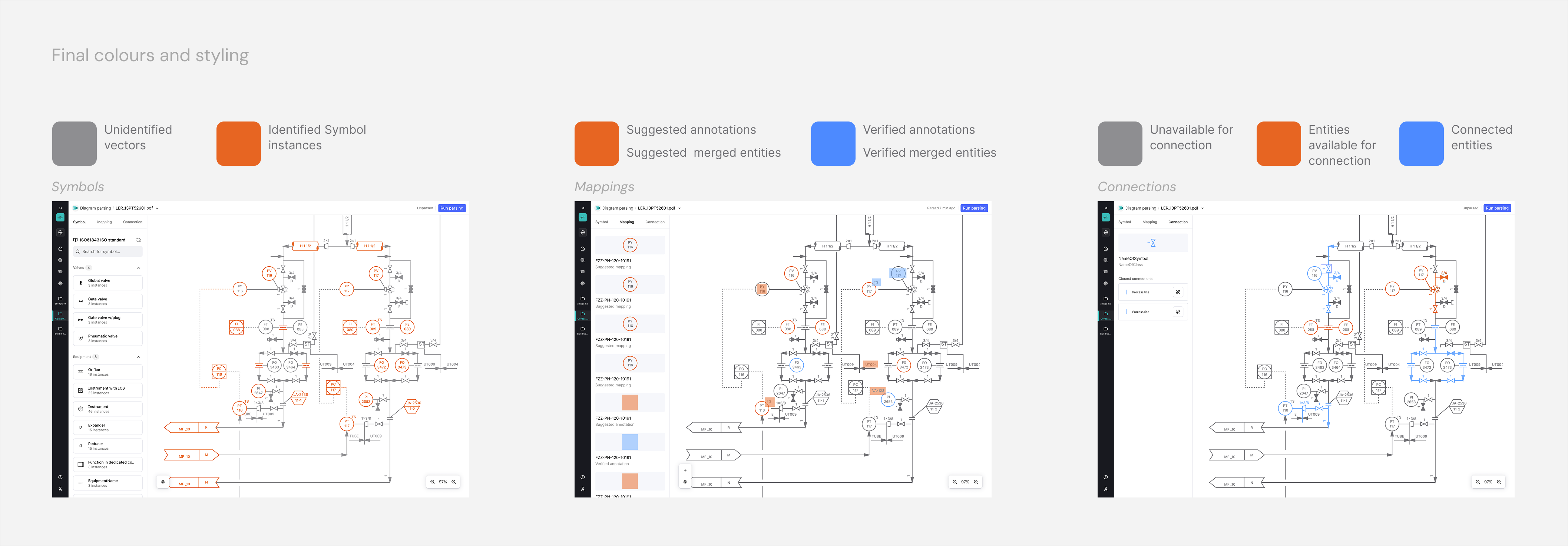
Hypothesis: Shifting to Blue/Orange will pass WCAG standards and create unambiguous visual states.
The original Blue/Purple logic failed accessibility checks for colour blindness, creating confusion between verified and unverified states, which undermined the entire value proposition of the product.
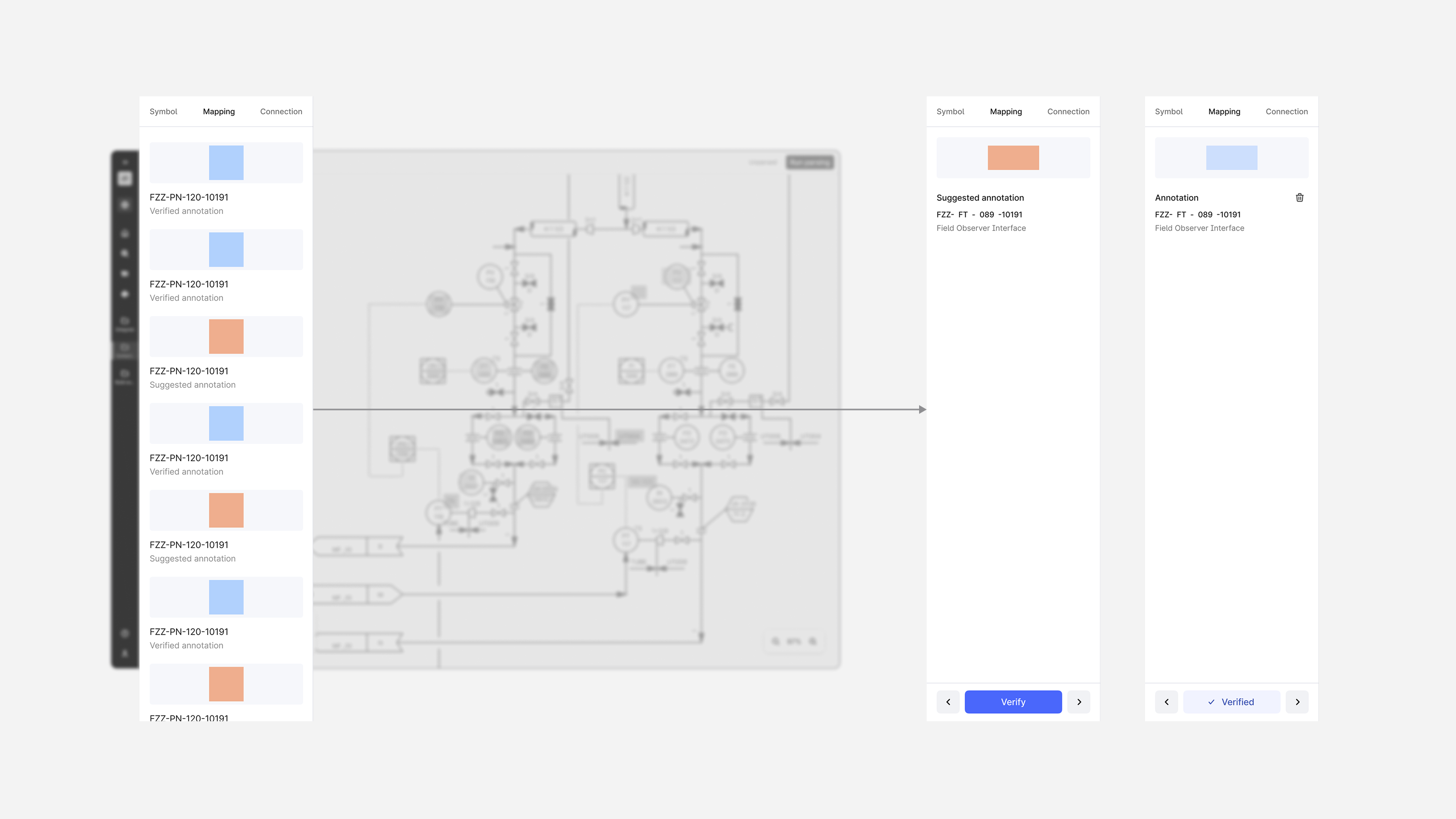
Testing: We evaluated three colour pairings against WCAG 2.1 contrast standards and user confidence scores before committing to Blue (verified) and Orange (suggested). Orange colour demanded user attention more cautiously in a non-critical way.
Iteration 3: Visual noise
Hypothesis: Changing the dotted outlines' styling of annotations/tags boxes with semi-transparent fills will reduce visual noise and scanning effort.
Users struggled to identify tags as their dotted outlines blended with the engineering lines and symbols on the diagram. The semi-transparent fill not only reduced clutter but also partly revealed the diagram underneath, giving users a sense of annotations as an ephemeral layer generated on top.
Testing: Usability sessions before and after the change showed users could scan diagrams and spot tags easily. Users even tried selecting multiple tags together.
Iteration 4: Attention split
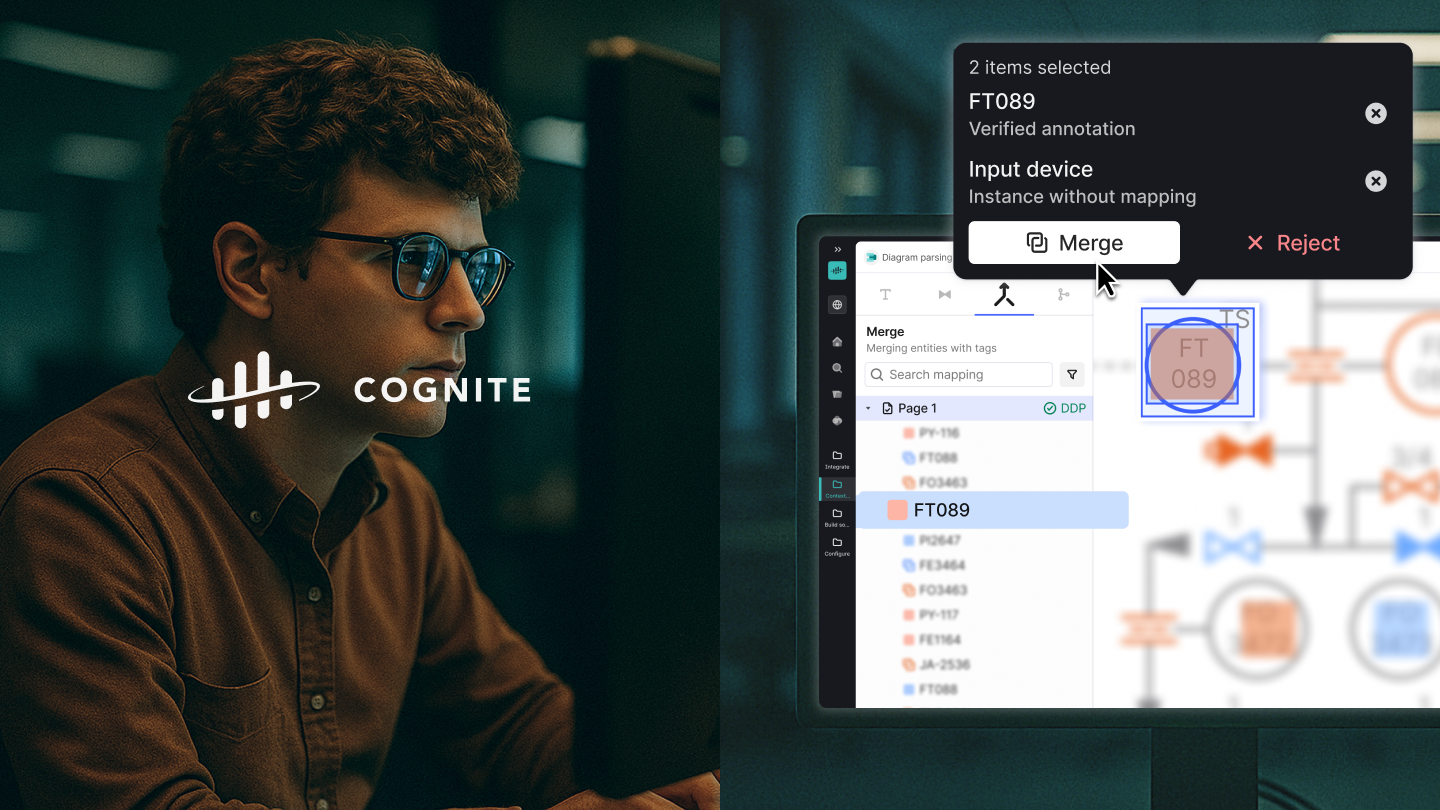
Hypothesis: A contextual popover that opened in the point-of-gaze of a selected asset on a diagram will reduce mouse movement and scale up combined actions.
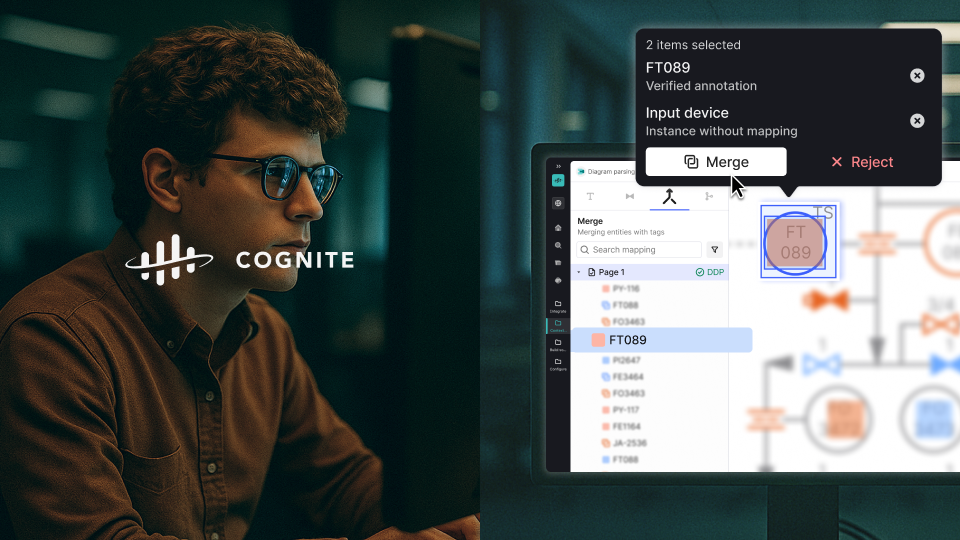
PM shared insights through Slack feedback, support tickets and direct usability observations. The side panel worked well for navigating between assets that were spatially generated on the diagram, but it became very bloated as a single source of truth. The solution moved the functionality from the side panel into a contextual popover, while the side panel was intended for more high-level macro actions- navigation and bulk selection.
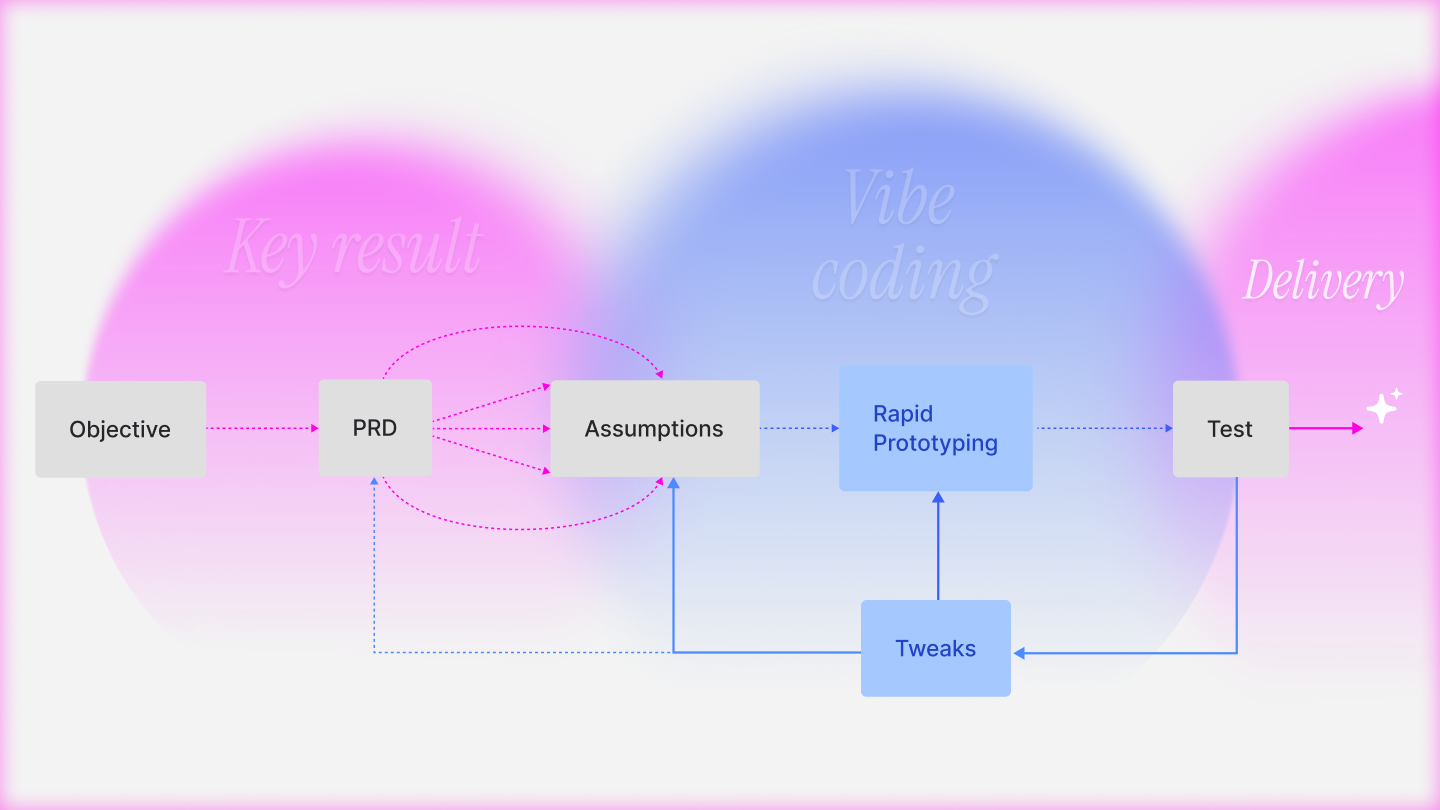
Testing: Task completion time and mouse travel were measured against vibe-coded prototypes, which became significantly faster. We also did A/B testing through feature flags.
Outcome & Reflection
Together these changes contributed to enabling the Beta release path: Diagram Detect API was automated through other CDF application like Workflows. Advanced Diagram Parsing was available as higher tier service that a user triggered for parsing vectors.
What I would do differently: I would establish a structured usability testing process with a consistent user group earlier in the process, rather than relying primarily on reactive sprint feedback and Dovetail recordings.